In this chapter, I will help you understand the basic concepts of ROS: Master, Node, Topic, Publisher, Subscriber, and Service. After that, you are going to implement these concepts by adding codes to the my_cam package, which we created in the previous chapter. First, let's start with ROS Nodes.
ROS Master and Nodes
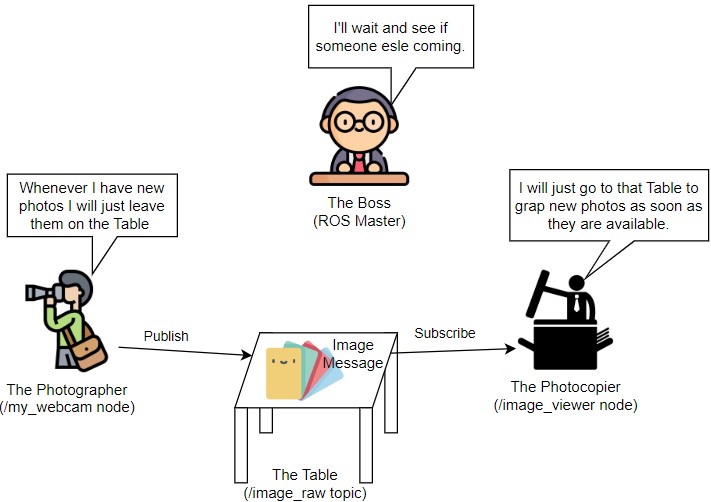
To easily understand Node, let's imagine our camera node as a Photographer who starts working in an office of a magazine. On the first day of his job, he takes some photos and notifies his Boss that he will leave these photos on a specific Table in the office. The Boss thanks him for the notification.
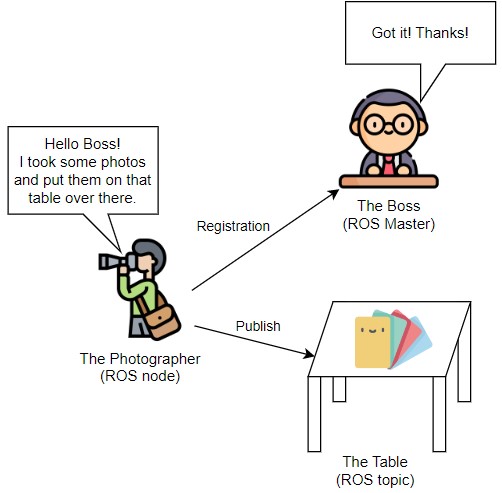
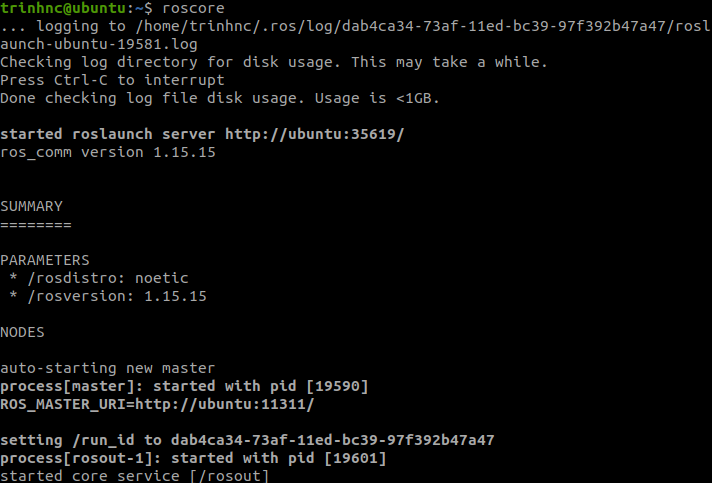
In our story, the Boss represents the ROS Master, which you always have to have when you use ROS. "The ROS Master provides naming and registration services to the rest of the nodes in the ROS system. It tracks publishers and subscribers to topics as well as services" (source). ROS Master is called by using the command roscore. There should be only one ROS Master running at a time. If you try to call another one, there will be an error. The Photographer represents a ROS Node which must always register to Master when it starts similar to the Photographer notifying his Boss.
ROS Topic and Message
The photos themselves are Messages and they belong to the type sensor_msgs. That's why you had to include sensor_msgs when creating the package from the last chapter. The action of leaving photos on the Table is called Publish in ROS. Finally, the Table itself serves as a ROS Topic to which other nodes can subscribe.
What is subscribe? Now imagine there is another person (i.e. another Node) in our story called the Photocopier. This guy wants to take photos from the Table and print them out. What is he going to do? He of course needs to notify the Boss first and then if there are photos on the Table, he can collect and print them. The action of taking photos from the Table is called Subscribe in ROS.
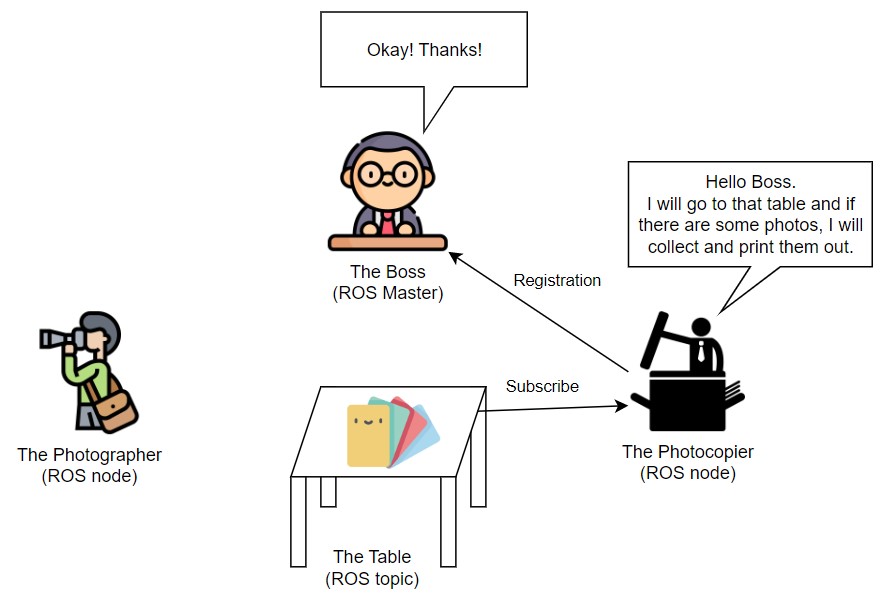
After notifying the Boss, both the Photographer and the Photocopier know about each other and they now just give/take photos to/from each other respectively.
ROS Service
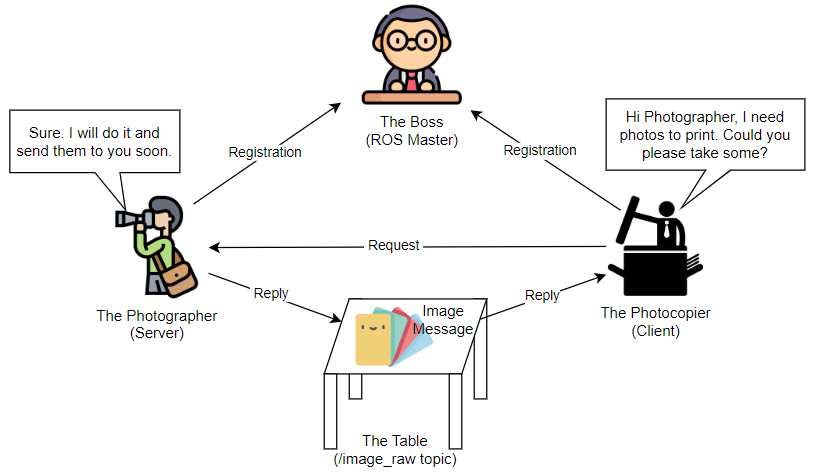
In the previous section, the Photographer continuously publishes images while the Photocopier continuously subscribes to these images. The Photocopier now said only when he asked for an image, the Photographer should take one and send it to him. This request/reply interaction is basically the idea behind ROS Service. In our example, after both registrations (i.e. notifying the Boss) are done, the Photocopier acts as a Client sending a request to the Photographer who acts as a Server. After receiving the request, the Photographer grasps some images and sends them back to the Photocopier (actually he just leaves them on the Table as usual).
Great job! You've just gone through all the core concepts of ROS. Of course, there are many more but for a beginner, it is already a big step. Next, you will learn how to implement all of them and get your first ROS application running.
Summary
"The ROS Master provides naming and registration services to the rest of the nodes in the ROS system. It tracks publishers and subscribers to topics as well as services" (source).
"A node is a process that performs computation." (source). Nodes can communicate with one another using streaming topics (publish/subscribe) or services (client/server).
Reference
Cover photo: http://wiki.ros.org/fuerte
Icons: https://www.flaticon.com/
Comments
Join the discussionNo comments yet. Be the first to comment.